The latest release is explained above. Older change sets stay collapsed until you choose one.
v0.6.0
August 12, 2026
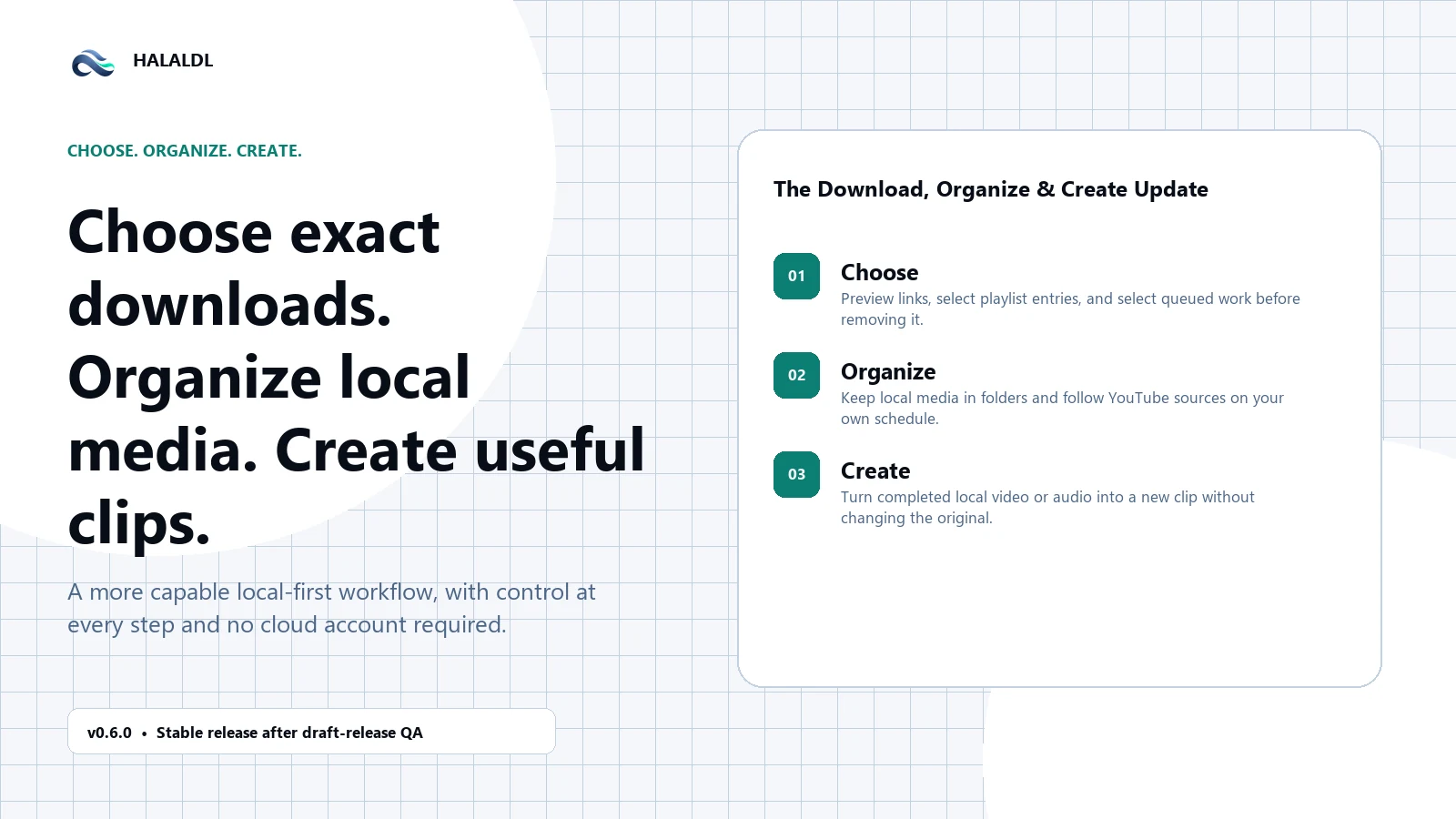
HalalDL v0.6.0 — The Download, Organize & Create Update
Choose exactly what to download, recover from common failures, organize what you keep, follow sources on your schedule, and create clips from completed media.
HalalDL v0.5.1 makes install trust clearer, feedback easier, and startup faster — while shipping the official Steel Blue + Mint brand. Copy Diagnostics, gentle support prompts after real usage, and hardened tool checks are the daily-driver wins in this release.
View details
Added
Trust and support: Support prompts: After three completed downloads, Settings/About and History gently offer Star, Feedback, and Not now — no first-launch nag, no modal interruption.
Trust and support: Install Trust card: About now explains that official downloads come from GitHub Releases, that releases are still unsigned, and how to verify with SHA256SUMS.txt.
Trust and support: Copy Diagnostics: One click copies version, mode, package type, tool status, history counts, and startup timings for better bug reports.
Faster startup and clearer performance: On-demand tool checks: Startup no longer probes every managed tool up front; checks run when you need them.
Faster startup and clearer performance: Settings → Performance: See startup timings in-app and include them when copying diagnostics.
Faster startup and clearer performance: ASAP URL autofill: Quick paste flows keep unique clipboard URLs ready without fighting the input.
Official Steel Blue + Mint brand: Locked palette: Default theme maps to the approved Steel Blue + Mint identity.
Official Steel Blue + Mint brand: BrandLogo: Theme-aware mark in Sidebar and About.
Official Steel Blue + Mint brand: Windows icons: Regenerated Tauri/Windows icon assets from the approved transparent marks.
Improved
Tools: Hardened yt-dlp checks to avoid hangs; Full/Portable require reinstall when managed yt-dlp is missing.
FFmpeg: Prefer GitHub FFmpeg mirrors for portable and CI packaging paths.
Menus / errors: Clearer tool and download error surfaces with copy actions.
Notes: Full (Recommended): Best for most users. Includes all dependencies (FFmpeg, yt-dlp, etc.) pre-configured. · Lite: Best for power users who manage their own tools. · Portable: Best for no-install or locked-down Windows setups. Keeps app data and managed tools beside the executable. · Portable updates: Portable builds still update manually from GitHub Releases (no in-app self-updater). Install trust: Releases are still unsigned, so Windows SmartScreen may appear on first run. Verify downloads with SHA256SUMS.txt when needed. See CODESIGNINGPOLICY.md. Release images: Light-mode and dark-mode release images are included as separate pairs. · Existing settings, presets, downloads, and history should carry forward normally. After three completed downloads you may see the new support prompts; dismiss with Not now, Star, or Feedback. Full and Lite users can keep using the normal installer-based release path; Portable users should replace the folder with the new ZIP. · This release is about trust you can verify and feedback that does not get in the way. Faster startup and the official brand are part of that same goal: HalalDL should feel safe to install, easy to report issues against, and clearly itself when it opens.
HalalDL v0.5.0 expands the release into a three-lane setup: Full, Lite, and the new Portable build. The goal of this update is simple: make HalalDL easier to carry onto locked-down Windows machines, strengthen Instagram and fallback download reliability, and make completed downloads more useful after they finish.
View details
Added
Better managed-tools flow: Tool target versions are surfaced more clearly.
Better managed-tools flow: Queue movement and related download flow polish were improved.
Better managed-tools flow: Full and Portable startup setup now share a clearer managed-tools prompt path.
Better managed-tools flow: Tool actions, backup cleanup, and path handling were tightened across the app-managed tool flow.
Better update experience: Installed builds still support verified update downloads where a direct installer is appropriate.
Better update experience: Portable installs now use the safer manual-release path instead of staging a self-updater executable.
Better update experience: The old portable updater binary entrypoint and command registration have been removed from the Tauri source tree.
Better update experience: About now reflects installer type more clearly, including Portable ZIP installs.
Improved
Hardened downloader fallback parsing, provider routing, and media handling.
Expanded path and runtime handling for portable-aware storage, thumbnails, and state.
Removed the foreground in-app notification layer and kept the flow focused on native or routed attention.
Tightened storage, history, and download-card behavior around richer result data.
Fixed
Fixed the portable startup tool-detection bug that could wrongly claim bundled tools were missing.
Notes: Full (Recommended): Best for most users. HalalDL manages its local tool bundle for you. · Lite: Best for power users who prefer to manage yt-dlp, ffmpeg, and optional tools themselves. · Portable: Best for locked-down or no-install Windows setups. The app and its managed tools live beside the executable. · Portable builds update manually from GitHub Releases. They do not use an in-app self-updater. HalalDL releases are still not code-signed, so SmartScreen can still appear on first run. Release images for this version are prepared in separate light and dark pairs. · Existing settings, presets, downloads, and history should still carry forward normally. Portable users should replace the old folder with the new release package instead of expecting in-place self-update behavior. Full and Lite users can keep using the normal installer-based release path. · This release is about practicality more than spectacle. A proper portable build, better fallback download reliability, and stronger finished-result handling all land in the places where HalalDL gets used for real. Thanks to everyone who kept pushing on the rough edges until the shape of the release got clearer.
HalalDL v0.4.1 is a focused polish release shaped by real user feedback. It tightens daily download flow, makes finished results more informative, fixes settings persistence, and adds more control over preset-based filenames.
View details
Added
Preset filename templates - fixes #5: Custom presets can now include their own filename template.
Preset filename templates - fixes #5: Preset naming works without repeating the same template every time you download.
Preset filename templates - fixes #5: Templates that omit %(ext)s are made safe automatically so downloaded files keep a proper extension.
Preset filename templates - fixes #5: The filename handling applies across the regular yt-dlp path and the Instagram fallback path.
Cleaner quick downloads - fixes #6: The quick panel is now more compact.
Cleaner quick downloads - fixes #6: Save location, start mode, subtitles, and preset details are summarized instead of repeated loudly.
Cleaner quick downloads - fixes #6: The main download action stays easier to reach.
Cleaner quick downloads - fixes #6: Keyboard-first quick downloads are smoother, especially on compact Windows layouts.
Settings now stay saved - fixes #7: Settings now commit automatically when changed.
Settings now stay saved - fixes #7: Tray click behavior persists after navigating away and reopening Settings.
Settings now stay saved - fixes #7: The Settings screen no longer depends on draft state that can be lost during navigation.
Settings now stay saved - fixes #7: Existing settings still carry forward normally.
Better finished download cards: Finished downloads now show total output size directly on the card.
Better finished download cards: Multi-output jobs, such as videos with subtitle sidecars, total their output size instead of only showing one file.
Better finished download cards: Video and audio jobs can show media duration when metadata is available.
Better finished download cards: Image-only downloads stay clean and do not show fake timeline details.
Clip download mode: Timed media downloads can now use optional clip start and end values.
Clip download mode: Time input supports seconds, mm:ss, and hh:mm:ss.
Clip download mode: Invalid clip ranges are blocked before starting a job.
Clip download mode: Clip controls stay out of the way for image-only downloads.
Better latest-result spotlight: Notification-routed results now get a finite glow animation.
Better latest-result spotlight: The newest finished result gets a subtle latest marker.
Better latest-result spotlight: Older opened results no longer pretend to be the newest result.
Improved
Tightened quick-download layout and reduced repeated metadata.
Added total output size and media duration display for finished results.
Improved latest-result attention routing from notifications.
Cleaned up React hook lint issues in the attention/spotlight paths.
Removed a leftover startup console log.
Fixed
Fixed settings persistence for behavior controls, including tray click settings.
Fixed extensionless output risk when filename templates do not include %(ext)s.
Notes: Full (Recommended): Best for most users. HalalDL manages its local tool bundle for you. · Lite: Best for power users who prefer to manage tools such as yt-dlp and FFmpeg themselves. · Clip mode depends on yt-dlp download-section behavior, so exact cut behavior can depend on the source, format, and available tooling. Duration appears when HalalDL can get reliable media metadata. Some sources may not expose it. Release images include dedicated light and dark variants. · Existing settings, presets, downloads, and history should carry forward normally. If tray behavior previously reverted for you, set it once after updating to v0.4.1 and it should persist. Custom preset filename templates do not require %(ext)s; HalalDL adds the extension token when needed. · This release is small by version number, but it lands exactly where daily use was getting rough. Thanks again to @Coll147 for the clear reports in #5, #6, and #7. That kind of feedback makes HalalDL better in the places people actually touch.
HalalDL v0.4.0 is all about making repeat downloads feel faster and more dependable. The biggest additions are the new tray-powered quick download flow, subtitle-aware presets, stronger in-app updates, and better Instagram handling for posts that used to be awkward or unreliable.
View details
Added
Faster everyday downloading: Quick Download Panel: Open a lightweight tray panel, grab a copied URL, choose a preset, and send the download off without opening the full app flow.
Faster everyday downloading: Better queue control: Paused and stopped jobs can now be held and resumed more cleanly, and the downloads screen has been tightened up to make the launch area, recent results, and queue behavior easier to understand.
Faster everyday downloading: Smarter link checks: URL validation now gives clearer live feedback for supported, unsupported, and uncertain links before you commit to the download.
Better presets, subtitles, and Instagram support: Subtitle-aware presets: Built-in presets can now carry subtitle behavior, including preferred languages, subtitle-enabled download presets, and a dedicated Subtitles Only option.
Better presets, subtitles, and Instagram support: Improved preset picking: Preset grouping and labeling are cleaner in both the main Downloads screen and the quick tray panel.
Better presets, subtitles, and Instagram support: Instagram fallback improvements: HalalDL now handles more Instagram cases with DownloadGram-backed resolution, better carousel output handling, and support for image-only preset paths.
Stronger update and tray experience: Verified app updates: The About screen can now detect the right release package, download it, verify its checksum, and prepare it for install more safely.
Stronger update and tray experience: Richer tray behavior: Configure tray click actions, close-to-tray behavior, launch-at-login startup, and quick clipboard download behavior from Settings.
Stronger update and tray experience: Clearer update notifications: Tool update notifications now show the current installed version so update prompts are easier to trust at a glance.
Stronger update and tray experience: Actionable notifications: Notifications are no longer just passive alerts. Clicking a supported notification can bring HalalDL forward, jump to the right area, and spotlight the exact tool, download, or update section that needs your attention.
Improved
History screen: Refined the History header, filters, and archive summary so saved jobs are easier to browse.
FFmpeg packaging: Replaced the older 7z extraction path with a simpler ZIP essentials flow and hardened FFmpeg verification/extraction.
Guided attention states: Added smoother highlight/spotlight treatment when HalalDL routes you to a finished download, a tool update, or the app update area, so it is immediately obvious what changed.
Fixed
Windows clipboard flow: Fixed Windows paste shortcut behavior, improved copied-file handling for finished downloads, and hardened file copy resolution for completed downloads whose saved filenames include Unicode characters.
Downloads reliability: Reduced false download failures, fixed scrolling/layout issues across the downloads screen, and improved carousel output path tracking.
Notes: Full (Recommended): Best for most users. Includes all dependencies (FFmpeg, yt-dlp, etc.) pre-configured. · Lite: Best for power users who manage their own tools. · Windows-first release: HalalDL remains a Windows-first desktop release in this cycle, especially around file clipboard behavior, tray actions, and native notifications. Notification click routing: Actionable notification routing is implemented for the supported desktop notification flows in this release, but behavior can still vary slightly depending on how Windows surfaces the toast. · If you are updating from an older 0.3.x build, restart the app after install so the refreshed tray behavior, notification routing, and updated tool checks all come up cleanly. Existing settings, presets, downloads, and history should carry forward normally in this release. · This release is a quality-of-life update more than a flashy rewrite. The goal was to make HalalDL feel faster for everyday use, clearer when something needs attention, and stronger around the workflows people actually repeat over and over. That now includes notifications that do more than talk at you; they can take you straight to the right place and visually point out what changed.
v0.3.9 is focused on reducing friction across the app. The biggest work in this release improves the Full Mode setup flow so tool installation feels much smoother and less repetitive, while the Downloads screen now defaults to Start now and gives much better link-check feedback. This update also fixes the packaging/version mismatch that caused 0.3.9 release builds to still come out as 0.3.8.
View details
Added
Tool Setup: Faster Full Mode Setup: Full Mode no longer waits for the full four-tool startup scan before opening the install flow. The app checks the local app-managed bin first and can move into setup much faster.
Tool Setup: Unified Progress Flow: Startup setup and Tools-screen installs/updates now use the same progress UI with cleaner per-tool rows, shared logs, and a more consistent experience.
Tool Setup: Better Mixed Results Handling: Batch installs and updates now return per-tool backend results, so the UI can show partial success and failure states clearly instead of collapsing into one generic outcome.
Tool Setup: Removed Duplicate Success Popup: Tool installs and updates no longer stack an extra success dialog after restart. The flow now stays in one cleaner modal path.
Downloads: Start Now by Default: New installs now default to Start now instead of Queue when adding a download.
Downloads: One-Time Migration for Existing Installs: Existing installs that were still using the old Queue default are migrated once so the Downloads screen reflects the new default immediately.
Link Checking: Richer Link Status UI: The old plain Checking link... hint has been replaced with a clearer status card for supported, unsupported, and unknown links.
Link Checking: Faster Validation Feel: Link checks now feel faster with instant host recognition, shorter debounce, and cached repeat checks for the same URL.
Link Checking: Clearer Feedback: Supported links, invalid links, and links that may still need login or slower extractors are now explained more clearly in the URL box.
Improved
Startup UX: Reduced the splash delay so setup appears faster in practice.
Code Quality: Centralized Lite vs Full tool-mode helpers and local app-managed tool detection to simplify maintenance around setup and update flows.
Fixed
Release Packaging: Fixed stale Tauri app version metadata so 0.3.9 builds and release artifacts no longer fall back to 0.3.8.
Notes: Full (Recommended): Best for most users. Includes all dependencies pre-configured and now has a smoother startup setup flow. · Lite: Best for power users who prefer managing their own tools manually. · This release is mostly about removing small points of friction that made the app feel slower or clunkier than it needed to. A lot of the work here is not flashy, but it makes setup, link checking, and everyday downloading feel much more direct and reliable.
This update gets HalalDL into a much better place for real-world use and release quality. The biggest changes are a smoother link input flow with non-blocking verification feedback, plus a more polished and trustworthy release pipeline around checksums, screenshots, and GitHub packaging.
View details
Added
Download Flow & Validation: Non-Blocking Link Check: When you paste or type a link, HalalDL now shows a lightweight Checking link... status and then gives a support hint without blocking the input flow.
Download Flow & Validation: Better Clipboard UX: Auto-paste stays instant for supported hosts, but the app now communicates more clearly when a link may not be supported or may require login.
Release & Project Polish: Cleaner Release Workflow: The GitHub release pipeline now correctly triggers from v tags and keeps manual release notes under your control instead of auto-generating them.
Release & Project Polish: Checksums Included: Releases now generate and attach SHA256SUMS.txt for easier installer verification.
Release & Project Polish: Improved GitHub Presentation: README screenshots, onboarding, issue templates, PR template, contributing docs, and security guidance are all in better shape for first-time users.
Improved
Draft Release Logic: Cleaned up release draft behavior so manual and tag-triggered releases behave more predictably.
Version Consistency: Updated app versioning across the frontend, Tauri config, Rust manifest, and changelog.
Fixed
Release Trigger Fix: Corrected the tag pattern so version tags like v0.3.8 actually trigger the release workflow.
Notes: Full (Recommended): Best for most users. Includes all dependencies (FFmpeg, yt-dlp, etc.) pre-configured. · Lite: Best for power users who manage their own tools. · This update was about making HalalDL easier to trust, easier to understand, and easier to ship properly. It is not just a feature release — it is also a cleanup pass on the release process itself so future updates are smoother.
This update transforms HalalDL from a simple downloader into a media manager. We've introduced a brand new History Screen that acts as a full media library, allowing you to manage and interact with your downloads directly. Plus, you can now personalize the app with Accent Colors to match your style. Under the hood, we've significantly improved tool reliability (switching FFmpeg to 7z archives) and enhanced the overall UI responsiveness.
View details
Added
Media Library & History: Brand New History Screen: Not just a list anymore! It's now a complete media library view with file management capabilities and playback integration.
Media Library & History: Sidebar Enhancements: The sidebar now features a pulse effect to visually indicate active download status, making it easier to track progress at a glance.
Personalization: Accent Colors: You can now customize the app's accent color in Settings! Make HalalDL truly yours.
Tools & Reliability: Smarter FFmpeg Downloads: Switched the FFmpeg download method to use 7z archives. This results in smaller downloads and much higher reliability during setup.
Tools & Reliability: Enhanced Tool Logic: Improved version parsing, update logic, and logging to make troubleshooting easier and tool management smoother.
Improved
Settings: Improved overall settings management and preset handling.
Performance: Streamlined PersistenceManager and optimized tool version checks for a snappier experience.
UI Polish: Refined DownloadItem styling and improved responsiveness across the app.
Notes: Full (Recommended): Best for most users. Includes all dependencies (FFmpeg, yt-dlp, etc.) pre-configured. · Lite: Best for power users who manage their own tools. · This release focuses on making HalalDL feel more like a home for your media, not just a utility. The new History screen lays the groundwork for even more advanced library features in the future. Enjoy the new look and feel!
This release focuses on making HalalDL’s logs more reliable and more useful when something goes wrong. Log export is more robust on Windows, weird encoding issues are handled better, and important UI/background failures are now mirrored into the in-app logs so you can actually troubleshoot from one place.
View details
Added
Logs & Troubleshooting: Safer Log Export: Log export/write now runs via the Tauri backend to avoid Windows ACL-related failures.
Logs & Troubleshooting: Timestamped Exports: Exported log filenames include date/time so they don’t overwrite and are easier to share.
Logs & Troubleshooting: More Error Visibility: Toast errors and background failures are mirrored into the in-app logs (Tools/Presets/Logs export/persistence/storage init).
Tools Manager: Better Visibility During Tool Actions: Tool checks, update checks, installs/updates, and manual-path staging now write clearer entries into the in-app logs.
Fixed
Windows Explorer Actions: Improved logging and error reporting for “open” / “show in folder” fallback paths.
Persistence: Improved error visibility when saving logs/settings/presets/download state fails.
Notes: Full (Recommended): Best for most users. Includes all dependencies (FFmpeg, yt-dlp, etc.) pre-configured. · Lite: Best for power users who manage their own tools. · If you hit an issue, please export your logs and include them when reporting bugs — v0.3.5 should make those logs much more complete and actionable.
HalalDL v0.3.4 is all about making the app feel alive, responsive, and beautiful. We've completely reimagined the empty states and setup screens to be more than just boring text—they're now interactive, animated, and modern. Plus, we've added smart loading indicators across the app so you never have to wonder if a click "worked."
View details
Added
Visual Overhaul: Cinematic Empty Queue: Saying goodbye to boring text! The Downloads screen now features a glowing, animated "Ready to Download" hero section with quick-access cards to start a new download, check tools, or manage presets instantly.
Visual Overhaul: Modern Tool Setup: The dependency installer has been rebuilt from scratch with a sleek glassmorphic design, smooth transitions, and a "hacker-style" terminal view that makes setting up tools feel like upgrading a spaceship.
Responsive UX: "Complete Setup": Now shows a spinner while the app prepares to restart.
Responsive UX: Presets Import/Export: Instantly confirms your file actions are processing.
Responsive UX: Tool Checks: Each tool now has its own loading indicator when verifying status.
Improved
Code Stability: Cleaned up internal logic (ESLint fixes) to ensure the app runs smoother under the hood.
Fixed
"Congratulations" Popup: Fixed a bug where the success modal wouldn't appear after installing tools. The app now smartly remembers your success across restarts.
Notes: Full (Recommended): Best for most users. Includes all dependencies (FFmpeg, yt-dlp, etc.) pre-configured. · Lite: Best for power users who manage their own tools. · This update is about "feel." An app shouldn't just work; it should feel good to use. With the new empty states and animations, I hope HalalDL feels a little more premium every time you open it.
HalalDL v0.3.3 is all about speed and integration. We've added seamless clipboard support so you can grab your downloaded files instantly and paste them anywhere—just like you do in Windows Explorer. Plus, we've polished up the settings and fixed some pesky context menu bugs.
View details
Added
Power Features: Auto-Copy File: Enable this new setting to automatically copy your video file to the clipboard the moment it finishes. Paste it directly into WhatsApp, Discord, or any folder without missing a beat.
Power Features: Copy File Action: Right-click any completed download and hit "Copy File" to manually copy the file to your clipboard. No need to open the folder first!
Settings & Polish: Smarter "Restore Defaults": Resetting your settings is no longer a mystery. The app now tells you exactly which settings were changed back to their defaults.
Settings & Polish: Reliability Upgrades: We've improved how the app detects file paths from the download engine, ensuring the "Show in Explorer" and "Copy File" options always appear when they should.
Fixed
Context Menu Fix: Resolved an issue where "Show in Explorer" and "Copy File" options would sometimes be missing for valid downloads.
Under the Hood: Fixed internal Rust compiler warnings for a cleaner, more robust codebase.
Notes: Full (Recommended): Best for most users. Includes all dependencies (FFmpeg, yt-dlp, etc.) pre-configured. · Lite: Best for power users who manage their own tools. · This update bridges the gap between downloading and sharing. By letting you "copy" the file directly from the app, we hope to save you those few extra clicks every time you share a meme or video.
HalalDL v0.3.2 brings a major visual overhaul to your downloads experience, making it feel more modern, fluid, and "cinematic". We've also packed in heavily requested power features like Global Drag & Drop and a Paranoid Backup Mode, while tightening up the engine with critical stability fixes.
View details
Added
Next-Gen Downloads UI: Cinematic Glassmorphism: The Downloads screen has been completely reimagined with sleek glass cards, smoother entry animations, and refined typography.
Next-Gen Downloads UI: Cleaner Look: We've removed the clutter (like redundant "YT/WEB" badges) to let your media thumbnails shine.
Next-Gen Downloads UI: Smart Interactions: New hover effects and a refined layout make managing your queue feel snappy and satisfying.
Power Features: Global Drag & Drop: Drag a link from your browser and drop it anywhere in HalalDL to instantly queue it up.
Power Features: Paranoid Backup Mode: Never lose your history. This new mode auto-saves your download list instantly after every change.
Power Features: Advanced Context Menu: Right-click any download for quick access to "Copy Link", "View Logs", or "Show in Explorer".
Power Features: Taskbar Integration: Track download progress right from your taskbar icon (green progress bar).
Engine & Stability: Rich Thumbnails for All: Fixed the black/missing thumbnails for non-YouTube sources (Instagram, TikTok, etc.) by improving how we fetch metadata.
Engine & Stability: React Purity: We did a deep dive into the codebase to resolve React purity/ESLint issues, resulting in a more stable and performant app.
Fixed
Explorer Fix: "Show in Explorer" now correctly highlights the specific file on Windows instead of just opening the folder.
Crash Fixes: Resolved blank screen crashes when navigating between Logs and Downloads during active updates.
Visual Polish: Fixed background color glitches and text overlap issues in the logs console.
Notes: Full (Recommended): Best for most users. Includes all dependencies (FFmpeg, yt-dlp, etc.) pre-configured. · Lite: Best for power users who manage their own tools. · This update strikes a balance between visual beauty and code health. The new "Cinematic" look makes the app a joy to use, while the underlying fixes ensure it runs smoother than ever. Enjoy!
HalalDL v0.3.1 is a direct response to your feedback, focusing on giving you complete control over your configuration and crystal-clear visibility into what the app is doing. We've revamped the logs, added powerful reset options, and polished the UI to feel even more professional.
View details
Added
Total Control Over Settings: Restore Defaults: Messed up your settings? You can now instantly restore everything to factory defaults with a single click.
Total Control Over Settings: Granular Resets: Only want to reset your appearance or download engine settings? Now you can reset individual sections without losing everything else.
Total Control Over Settings: Responsive Header: The settings header now adapts perfectly to smaller screens, so your buttons never feel cramped.
Next-Gen Console & Logs: Modern Terminal UI: The logs screen has been completely redesigned with a high-contrast dark theme (#0c0c0c), syntax highlighting for commands, and a sleek status bar.
Next-Gen Console & Logs: Smart Auto-Scroll: We fixed the scrolling behavior! It now sticks to the bottom when you want it to, but lets you scroll up freely to inspect logs without fighting the auto-scroll.
Next-Gen Console & Logs: Search & Filter: A new unified toolbar makes filtering logs by level or job easier than ever.
Live Activity Tracking: Active Downloads Badge: The sidebar now features a live download counter and progress ring that glows when downloads are active and auto-hides when idle, keeping your interface clean.
Subtle UI Refinements: Tools Lite Mode: The "Lite Mode" notice in the Tools screen is now a subtle, informative note rather than a warning, making the experience feel more welcoming for power users.
Improved
Layout Fixes: Adjusted flex gaps in the settings header to ensure buttons wrap correctly on all window sizes.
Performance: Optimized the active download tracking to minimize re-renders.
Fixed
Scroll Glitch Fixed: Removed scroll-smooth interference in the logs console for a snappy, native feel.
Notes: Full (Recommended): Best for most users. Includes all dependencies (FFmpeg, yt-dlp, etc.) pre-configured. · Lite: Best for power users who manage their own tools. · This update is all about refinement. The new Logs UI is a personal favorite—it finally feels like a real developer tool! As always, thank you for your feedback.
HalalDL v0.3.0 focuses on making the entire app feel visually consistent and more “alive” with modern motion, glassy surfaces, and cleaner navigation—without compromising stability.
View details
Added
Full Glassmorphism Pass (Everywhere): Unified glass-card styling across all major screens for a cohesive premium look.
Full Glassmorphism Pass (Everywhere): Consistent card surfaces across screens and dialogs (no more “random solid panels”).
Smoother Motion & Transitions: Staggered entrance animations applied across screens for a polished feel.
Smoother Motion & Transitions: Motion-enhanced buttons across the app for better hover/tap feedback.
Sidebar Improvements: Updated sidebar styling to match the glass aesthetic.
Sidebar Improvements: Fixed alignment/spacing so navigation looks correct and consistent.
Dialog + UI Polish: Tool/setup dialogs now match the modern visual style.
Dialog + UI Polish: UI cleanup to keep interactions consistent across all flows.
Improved
Removed leftover raw button implementations to ensure consistent UI behavior.
Fixed motion container issues so stagger animations render reliably.
Notes: Full (Recommended): Best for most users. Includes all dependencies (FFmpeg, yt-dlp, etc.) pre-configured. · Lite: Best for power users who manage their own tools. · This release is about consistency: every screen and interaction now follows the same modern UI language.
🌟 The Evolution Continues! We are excited to bring you HalalDL v0.2.0! This update is all about refinement and user control. We've polished the experience to be smoother, smarter, and more powerful while squashing pesky bugs.